
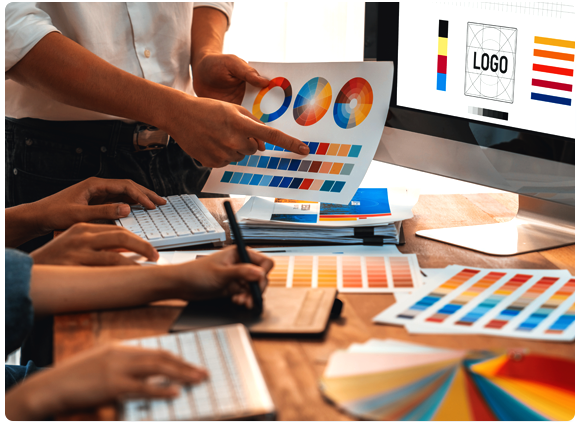
Before submitting artwork, please review our Design Guidelines to help ensure your files are production-ready. This guide covers preferred file formats, fonts, linked images, CMYK/PMS color setup, bleed, resolution, and final artwork checks.
The guide includes the full file submission checklist and accepted artwork formats for Evolv Graphic Panels.
You have two options: either include all fonts with your submission or outline them beforehand.
Including fonts allows us to make any necessary text corrections. Outlining fonts ensures clean, scalable vector text that reproduces accurately - ideal if no edits are needed.
Outline all fonts prior to submitting your files. This is easily done by Shift + Command + 0.
Always include all necessary image assets when submitting your artwork.
Avoid embedding images directly—link them instead for greater flexibility and accuracy.
Native file formats (.ai, .psd, .indd) are preferred, with all linked and support files included.
Vector files are ideal, as they scale to any size without losing quality—ensuring crisp, professional results in every format.
For the best print quality and maximum flexibility, always provide your logo files in a vector format whenever possible.
Vector files are resolution-independent graphics that can be scaled to any size without losing clarity or detail, making them ideal for large-format graphic panels and signage applications.
Preferred logo formats include: .ai, .eps, .pdf, .svg,)
If vector files are unavailable, please provide the highest-resolution logo files available. Low-resolution logos, screenshots, or images copied from websites may not reproduce accurately when enlarged and can result in poor print quality.
Use the following guideline for determining bleed:
If scaling your file, remember to scale your bleed as well.
Please work in CMYK (Roll over RGB photos to CMYK for consistency).
For color-critical projects, please provide PMS Coated (PMS-C) colors. Also include the native ile as this will reduce the time and cost of color matching.
Do not convert any color profiles as we will handle it in our design group. Leave all PMS colors set to spot color. Do not roll them over to 4C process.
Color critical projects require printed samples for approval (versus pdf) and additional charges may apply.
The following are recommended resolutions for your files:
(No less than 50 and no more than 150)
Whenever possible, create files at 100%. If scaling is necessary, please scale at 75%, 50%, 25% or 10%.
Remember: scale DPI to match. For example: 72DPI at 100% = 720DPI at 10%.
We support the following file types: